
Enterprise Search
Search network drives efficiently – How to optimize the network drive search
Why network drive searches are often inefficient, how you can improve them and what role AI-supported search solutions play.

Many companies store large quantities of files and documents on network drives. The challenge: network drive searches are often tedious and time-consuming. Although network drives are excellent for storing data, they are not always ideal for finding it again. In this blog post, you will find out why network drive searches are often inefficient and how you can improve them – and what role AI-supported search solutions play.
What is the network drive search?
Drive search refers to the targeted search for files and documents within a network drive. Various search parameters can help to find relevant content more quickly. In many companies, the network drive search is carried out either via operating system functions or special third-party software. An optimized drive search should be fast, reliable and efficient in order to increase productivity.
Why is network drive search so challenging?
Network drives provide a central repository for files, but are often not optimally organized. Over the years, most companies have stored more and more information on drives. In the process, dozens of duplicates and outdated information have accumulated – which are nevertheless often needed by employees. This creates various challenges for employees on a day-to-day basis, such as:
All of this makes it very challenging for employees to obtain the relevant information quickly. As a result, this leads to poor knowledge levels among employees and poor decisions, as they often don’t have the information they need.
How can you improve the drive search?
From the challenges mentioned so far, which many companies can certainly identify with, there are a few tips and tricks on how to optimize the network drive search. These include, for example:
1. Creating a better data structure
Uniform naming conventions and clear folder structures help to improve the drive search. Metadata can be used to make documents easier to find.
2. Enable and optimize indexing
Many operating systems and third-party tools offer the option of efficiently indexing network drives. Check that indexing is updated regularly to ensure faster drive searches.
3. Use filters and advanced search operators
Metadata such as creation date, author or file type help to make the network drive search more targeted.
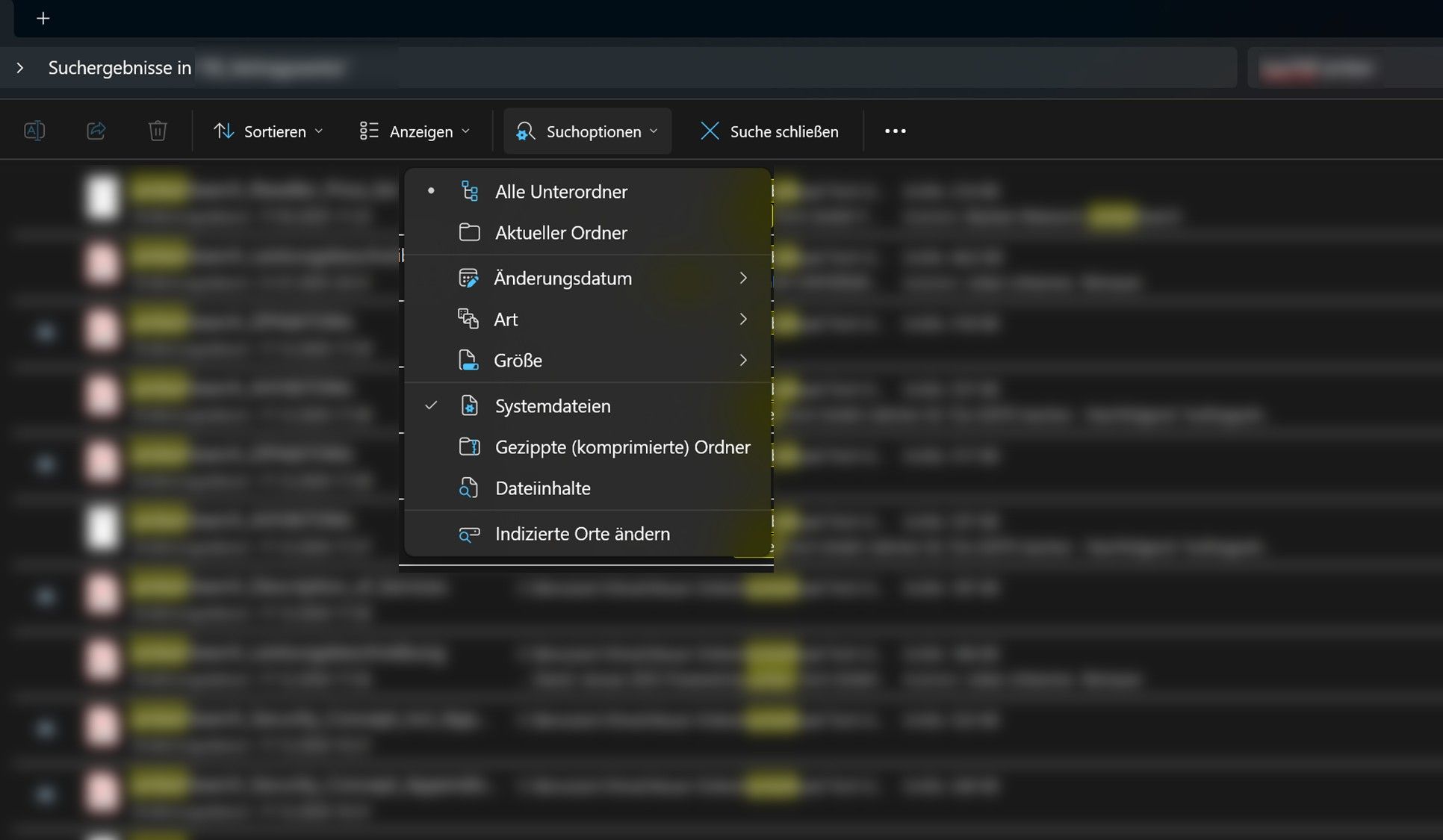
4. Formulating targeted search queries
Get to know the advanced search operators of your system. For example, many search functions support wildcards (*), logical operators (AND, OR) or filters (date, file type).
Optimize drive search with an AI search
Even if you follow all the tips, you will only be able to optimize the drive search to a limited extent – ultimately, the search algorithms are not designed for the often too large amounts of data. There are now better, AI-based solutions such as amber, which not only search documents intelligently, but can also write summaries or enable employees to chat with the documents. Some of the advantages of such a solution are, for example:
If you are wondering what such an AI search looks like in practice, you can watch this video for an explanation:
Conclusion
The classic network drive search is often time-consuming and inefficient. A better data structure, optimized indexing and targeted search operators can improve the drive search. However, for truly efficient search processes, an AI-supported solution is the best way to optimize network drive searches. Companies that use modern search technologies save time and significantly increase their productivity. Interested parties can use our ROI calculator to work out how much this actually means.
Would you like to find out more? Then send us an inquiry now via our contact form and we will be happy to help you.
Frequently asked questions about network drive search
What is the network drive search?
Drive search is the targeted search for files and documents within a network drive. In many companies, it is carried out via operating system functions or special third-party software.
Why is searching network drives so tedious?
Over the years, unstructured documents, duplicates and outdated information accumulate. On top of that come missing or weak indexing, slow search queries, different file formats, no semantic search and no preview function.
How can I improve the network drive search?
Four tips help: a better data structure with uniform naming conventions and metadata, enabled and regularly updated indexing, filters on metadata such as creation date, author or file type, and targeted search queries using wildcards and logical operators.
Which search operators help with network drive searches?
Many search functions support wildcards (*), logical operators such as AND and OR, and filters by date or file type.
What does an AI search offer compared to the classic drive search?
An AI search finds documents through semantic analysis even without exact search terms, lets employees chat with the search results, includes other systems such as Outlook, Teams or SharePoint and maintains the search index automatically.